
Shop Screens
Put your shop TV to work.
Full control of your content: YouTube links, price lists, promos and what plays. Runs on a Windows or Mac computer connected to your TV.

Full control of your content.
Change YouTube links, price lists, promos and what plays, whenever you want. Every board keeps a clean, finished layout.
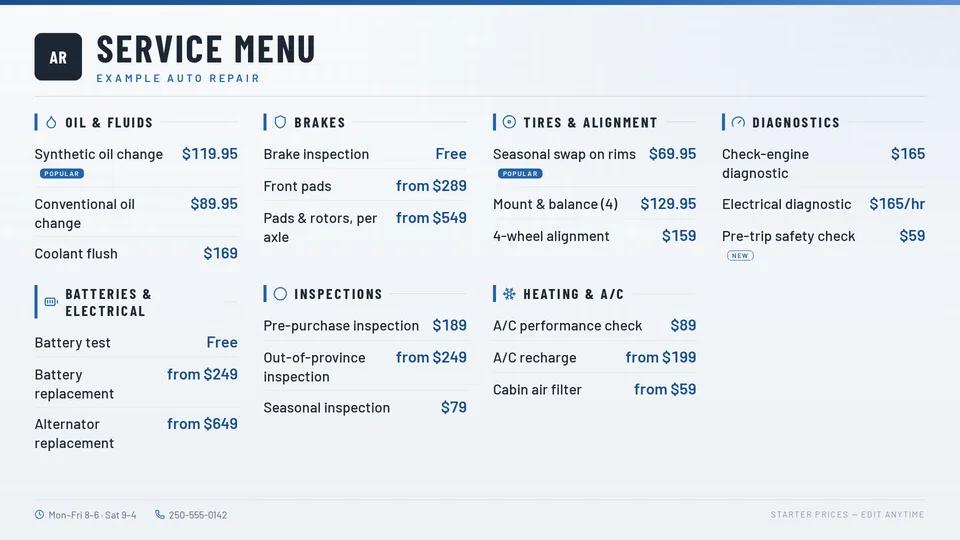



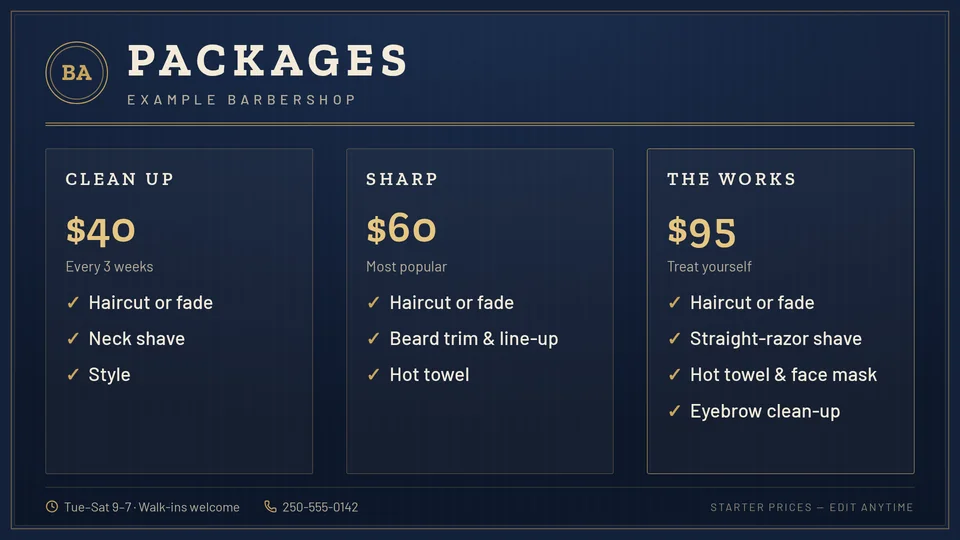


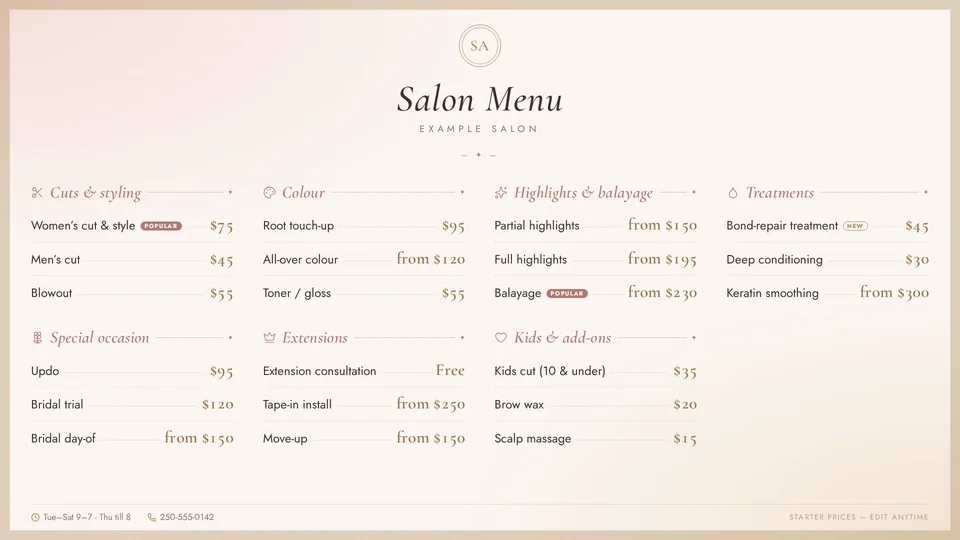


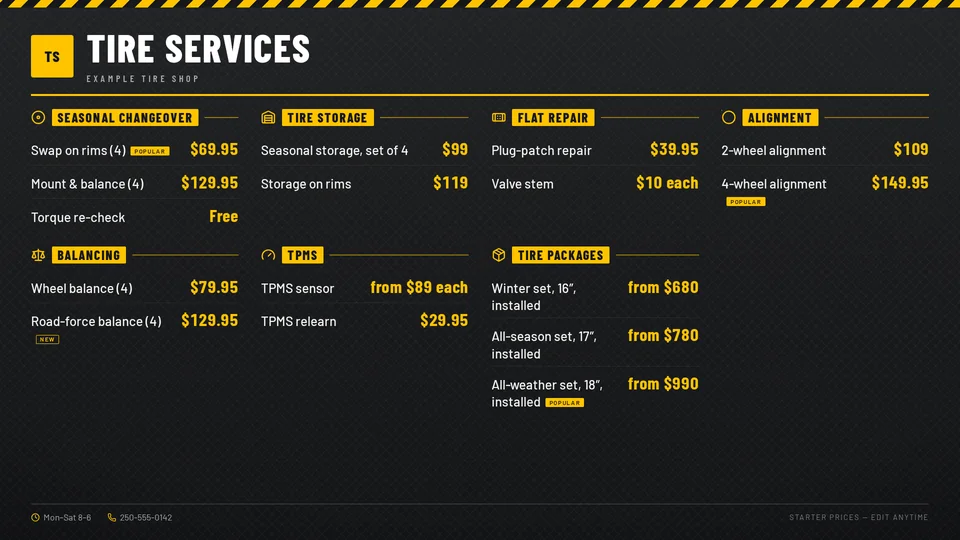


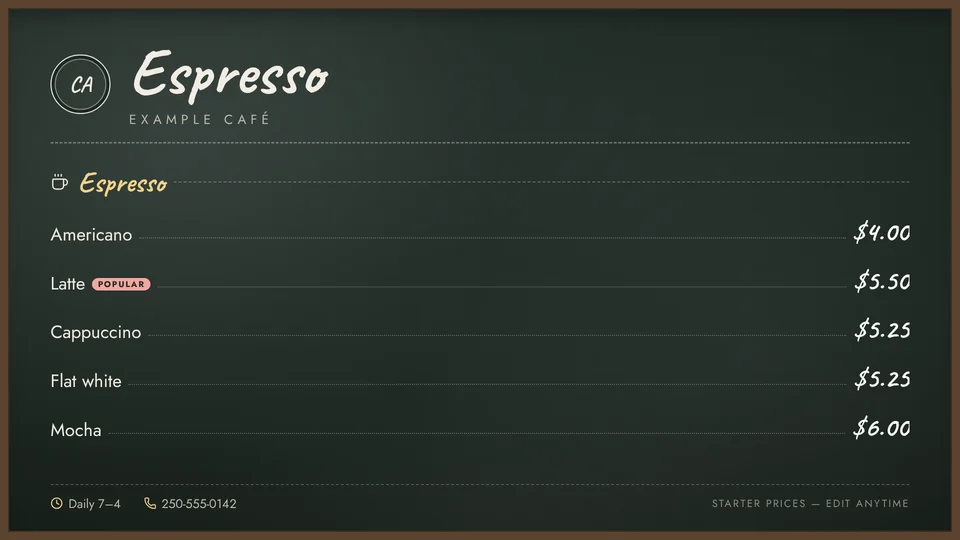


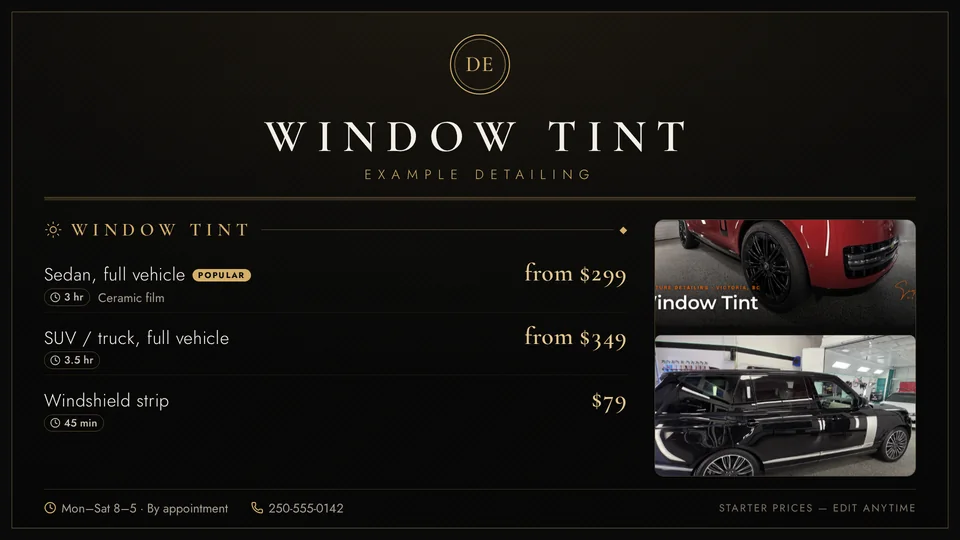


Real Shop Screens starter templates, shown with Example businesses. Starter prices, edit anytime. Keys 1 to 7 open each service board and key 8 opens the Price Board. Customer Deck shows detailing key labels today; labels for each trade are coming soon.
Price lists and menus
Edit services and prices in Shop Screens. The TV updates on its own.
Promos
Rotate your current offers between everything else.
YouTube with a phone remote
Set your own links. Customers scan the QR code on the TV to queue a video, with safe search on.
Playlists and hours
Choose what plays during open hours and after hours.
Fireplace
A calm default for the waiting room.
Different content per TV
Set what each screen plays, including its own YouTube link.
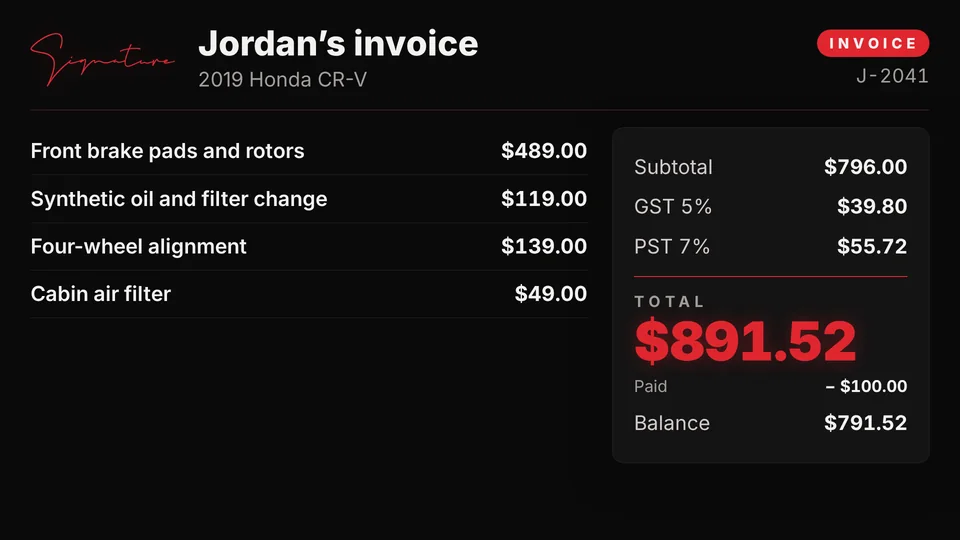
Live invoices and job board.
Go over the bill on the big screen and show today’s jobs in the waiting room. Available with Signature Suite.
See Signature SuiteBuilt for every kind of shop.


Starter templates for your type of shop.
Pick a starter, add your prices and your TV is ready. Each one sets up a Price Board, seven service boards, packages and a promo, with playlists for open hours and after hours.
Six trades
- Auto Repair Front Office
- Barbershop Front Office
- Salon Front Office
- Tire Shop Front Office
- Café Front Counter
- Detailing Front Office
Seven layouts
- Signature Board
- Two-Column List
- Feature + List
- Tile Grid
- Single Column
- Tiered Packages
- Menu + Photo Strip
Eleven themes
- Pro Steel · auto repair
- Vintage Navy & Brass · barbershop
- Blush & Champagne · salon
- Industrial Yellow · tire shop
- Chalkboard · café
- Black & Gold · detailing
- Heritage Forest, Kraft Paper, Light Minimal, Dark Minimal and Signature Black & Red
More themes
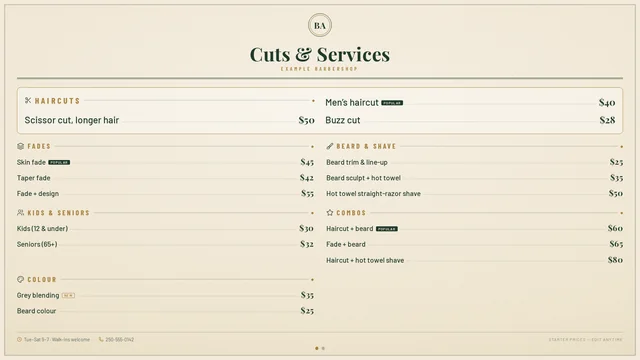
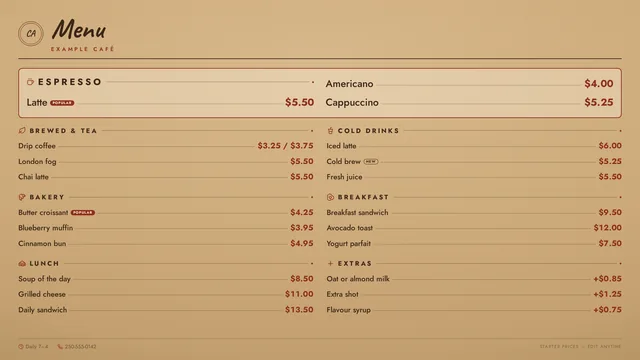
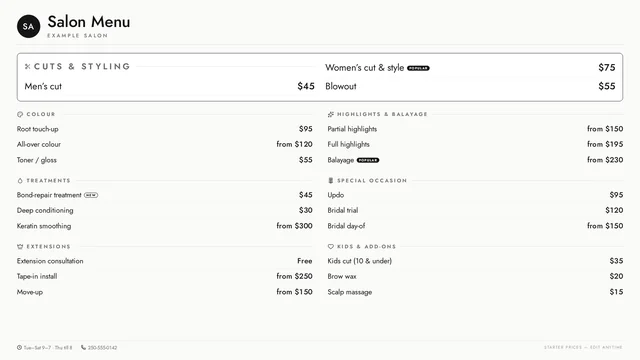
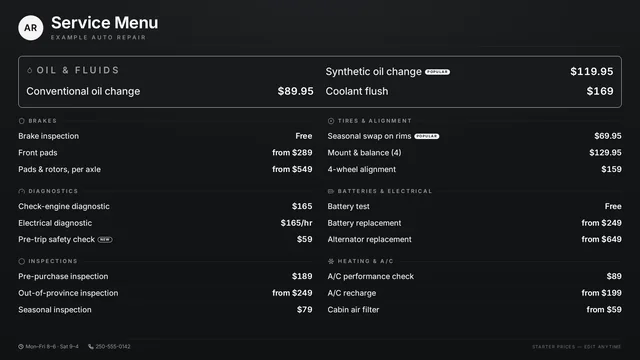
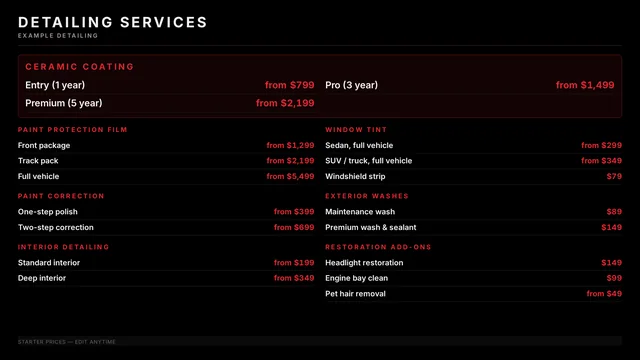
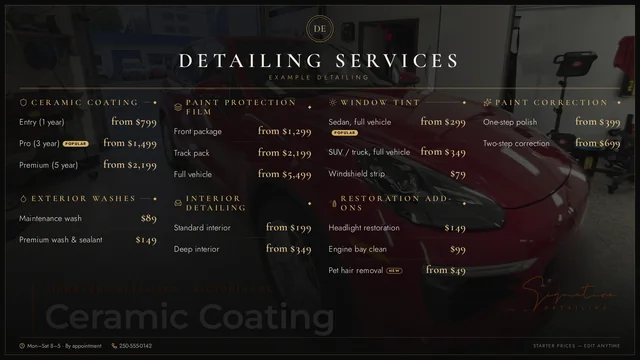
Each trade starts with its own theme, and any shop can pick any theme. Every theme has four backgrounds: a plain surface, an accent glow, a stronger pattern, or your own photo under a theme-coloured overlay.
Templates are on staging now and not yet in the app. Photo strips and photo backgrounds only use photos you upload.
Run it from your phone.
Change what’s on
Switch what the TV shows from your phone, wherever you are.
See screen status
Check that each screen is online.
Updates included
New features and fixes come with your plan.
A TV remote your customers can actually use.
Customer Deck is a free plugin for Stream Deck Neo. Buy a Neo, install the plugin and sign in. Customers press a key and the TV changes.
Press a key
The TV switches to what the customer picked.
See what’s on
The Neo’s info bar shows what’s playing now.
Back to normal
Shop TV returns the screen to your playlist.
Stream Deck Neo is optional and sold separately. Signature sets the key layout so it always works: keys can’t be moved or given new tasks. Keys shown in demo mode, which Customer Deck uses without an active plan.
What you need.
One computer at the TV. Everything else is optional.


- ComputerA Windows or Mac computer connected to your TV. Shop Screens runs on it full screen. Fire TV and Android TV coming soon.
- PlanShop Screens, CA$19.99/month per TV after a 14-day free trial.
- Remote (optional)Stream Deck Neo, sold separately, with the free Customer Deck plugin.
- Signature Suite (optional)For live invoices and the job board.
Simple per-TV pricing.
Start with a 14-day free trial.
Shop Screens
CA$19.99/month
or CA$199.90/year, 2 months free
Includes 1 TV. Each extra TV is CA$10/month. Prices in CAD, plus GST/PST where required.
- Windows and Mac app
- Price lists, promos and menus
- Templates (coming soon)
- YouTube with phone remote
- Playlists and hours
- Remote management
- Updates included
- Free Customer Deck plugin
Questions
What does Shop Screens run on?
A Windows or Mac computer connected to your TV. Install the app, sign in and choose what plays.
What are the system requirements?
Windows 10 or later, or macOS 11 (Big Sur) or later. Fire TV and Android TV coming soon.
What can I change?
All of your content: YouTube links, price lists, promos and what plays. Signature keeps the screen layout clean so every board looks right.
Is there a free trial?
Yes. Shop Screens starts with a 14-day free trial.
How does per-TV pricing work?
CA$19.99/month includes 1 TV, and each extra TV is CA$10/month. Each paired screen at a location counts as one TV. Annual billing is CA$199.90/year for 1 TV, 2 months free.
Is a Stream Deck Neo included?
No. The Neo is optional and sold separately. Buy one, then install the free Customer Deck plugin. Shop Screens works without it.
Can I change the deck’s keys?
No. Signature sets the key layout so it always works. Keys can’t be moved or given new tasks.
Do I need Signature Suite?
No. Shop Screens works on its own. Live invoices and the job board are available with Signature Suite.
What happens if my plan ends?
The TV shows that the plan is inactive, and Customer Deck switches to demo mode.
How is Shop Screens licensed?
One subscription per location, and sign-in is required. Prices in CAD, plus GST/PST where required.
Set up your shop TV.
14-day free trial, then CA$19.99/month per TV. Runs on a Windows or Mac computer connected to your TV.